THE STICKERROAR GUIDE
Fleet Unit Number Stickers: Match Files, Numbers and Copies
Plan fleet number stickers with exact identifiers, separate artwork files and a worked copy-count example. Check each number before submitting the request.
Updated
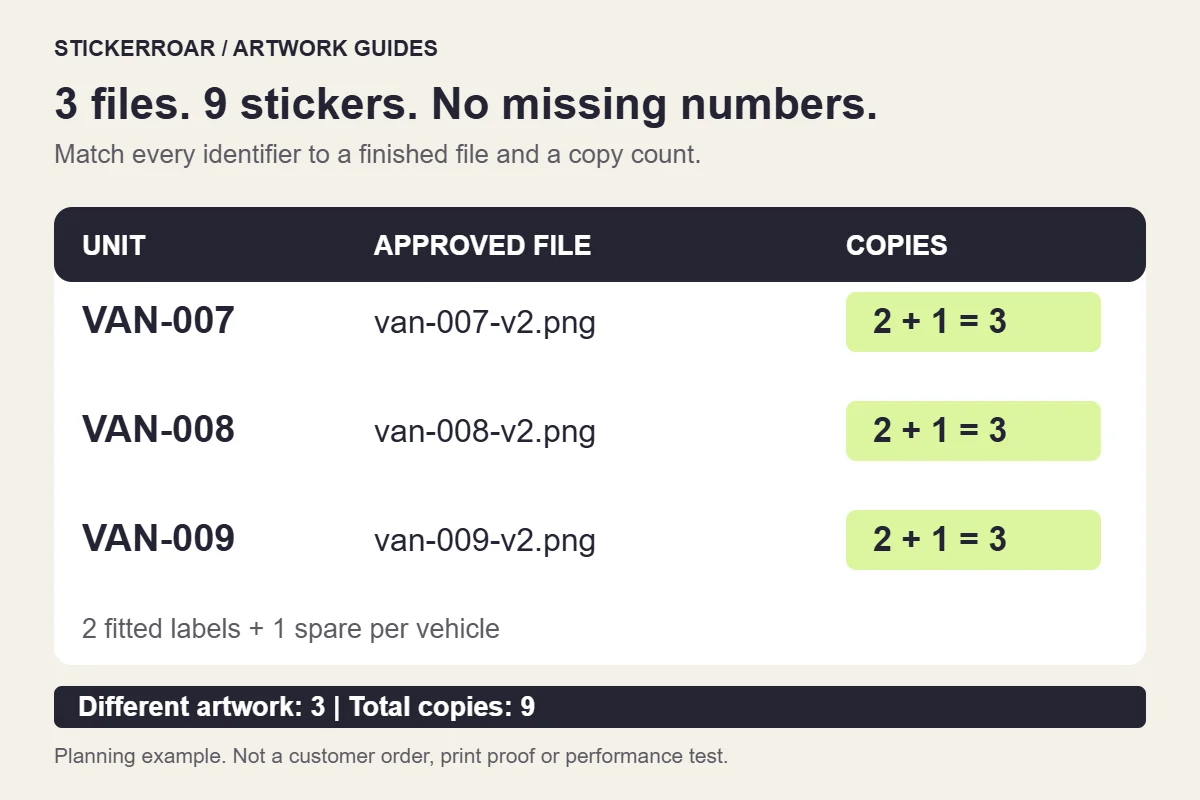
For fleet unit number stickers, prepare a list that connects each exact vehicle identifier to its artwork file and copy count. Count the different designs separately from the total stickers. Uploading one file with a quantity of nine requests nine copies of that design; it does not ask the editor to create nine consecutive numbers.
This guide covers your own internal unit labels. It does not specify official vehicle markings or regulatory identifiers. Keep those requirements separate from a decorative or internal identification sticker order.
Start with identifiers as text
Copy the identifiers from your approved fleet record. Preserve every prefix, separator and leading zero: VAN-007 and VAN-7 should not be treated as interchangeable without checking your records. In a spreadsheet, set the identifier column to text before entering or importing the values, then inspect the result.
Decide whether a label contains only the identifier or also a business name or logo. Freeze that design before exporting all the versions. Otherwise, the file for one vehicle may contain an older logo even when its number is correct.
Work through one small order
Suppose three vehicles each need two identical labels plus one spare. This is a fictional planning example:
VAN-007: filevan-007-v2.png; 2 fitted copies + 1 spare = 3 stickers.VAN-008: filevan-008-v2.png; 2 fitted copies + 1 spare = 3 stickers.VAN-009: filevan-009-v2.png; 2 fitted copies + 1 spare = 3 stickers.
The request contains three different artworks and nine stickers in total. The diagram above connects those three files to their counts; open the full-size file-and-quantity diagram if the labels are small on your screen. It illustrates the plan, not an actual customer order or a print sample.
If VAN-008 needs a smaller rear label, split its requirement into separate lines for the confirmed sizes. Record whether the spare matches the side label or the rear label. A total of three copies no longer explains the complete specification by itself.
Make the file names and the design agree
Use a filename containing the identifier and revision, then check the number inside the image. A file called van-009-v2.png can still accidentally contain VAN-008 after a copy-and-edit step.
Review each export against the approved list, in the same order as your quantity record. Check one field at a time: prefix, digits, punctuation, then any small business wording. Inspect similar characters such as 0 and O, or 1 and I, in the chosen lettering. Use a clearer typeface or more spacing if your identifiers are difficult to distinguish; do not change the identifier itself to solve a layout problem.
Keep all approved exports together and retain the editable master separately. Remove superseded files from the upload selection so the request contains one clearly identified version of each design.
Check the longest identifier at the intended size
Lay out the longest identifier as well as the shortest. Adding a prefix or another digit may crowd a border that looked generous around a shorter number. Check both at the proposed outer width and height.
Make a paper proof, disable page fitting and measure the printed result. Have someone read the identifier from the distance relevant to your actual task, with the vehicle parked. This helps assess the layout; it does not establish adhesive suitability or a universal reading distance. Use the car sticker size guide for the measurement steps.
If labels are required on both sides of a vehicle, keep the lettering readable. Flipping the complete image horizontally also reverses the number. Prepare a separate reviewed layout if the logo arrangement must change on the other side.
Submit each approved version with its quantity
StickerRoar's custom car sticker service accepts finished PNG or JPEG artwork. The ordinary editor does not generate sequential numbers or substitute identifiers from a spreadsheet. For a small set, review each finished file and its quantity as a separate design. For a large sequence, ask about the production arrangement before assuming variable-data production is available.
Use the different-design ordering guide to review the cart. Check the image, dimensions, material and copies against your file list before submitting the request. Keep installation location notes outside the printable artwork unless you want those words printed too.
The order request collects details without online payment. Confirm the final production specification and delivery arrangement, then keep the approved file-and-count record for replacements. When one label is needed later, that record identifies its number, version and size without rebuilding the whole order from memory.
