THE STICKERROAR GUIDE
Why a 100-Inch Slider Does Not Guarantee Online Ordering
Understand the 100-inch size control, current online estimate limits and how to submit a large car sticker request with the right details.
Updated
A preview range is not a manufacturing promise
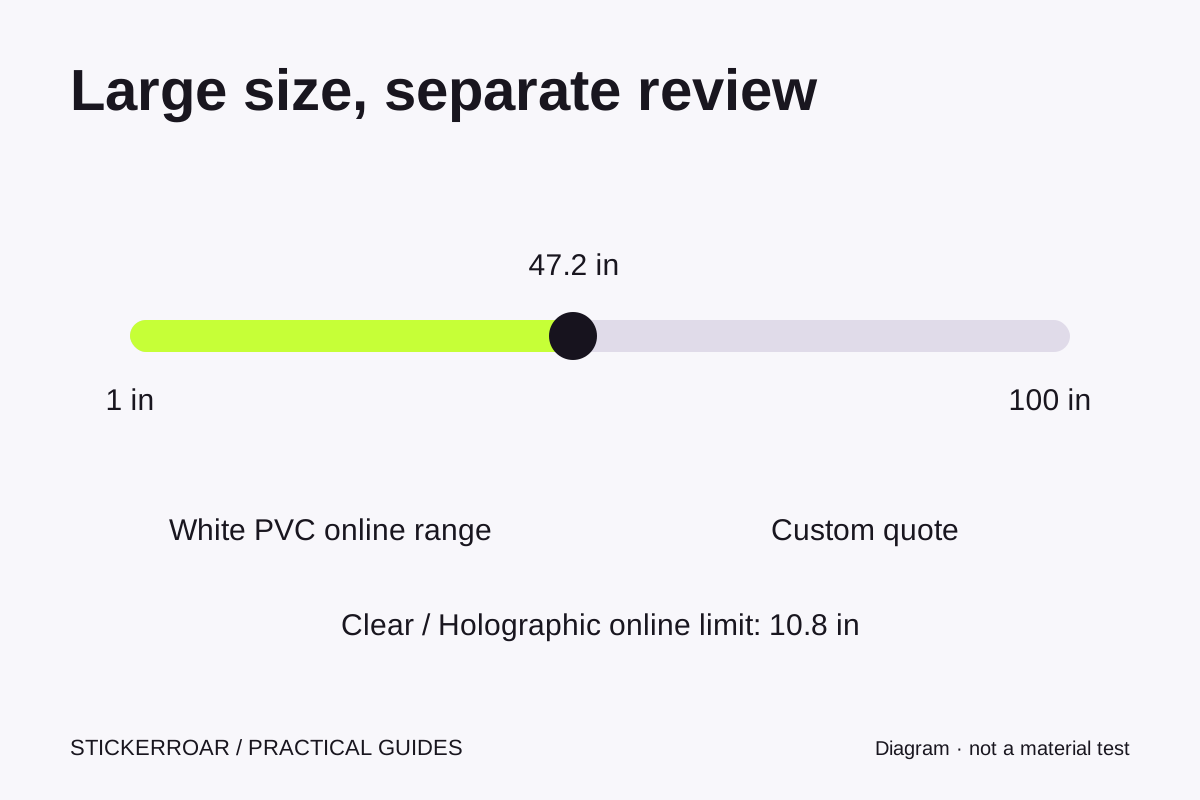
The size control can describe a frame from 1 to 100 inches. That lets you compare a large graphic with the illustrated scene, but it does not mean every material, artwork file or shape can be ordered automatically at every setting. Large graphics may need a different production plan and a separate review.
The current online estimate limit is 1200 mm per side for White PVC, about 47.2 inches. Clear and Holographic use a 275 mm per-side limit, about 10.8 inches. Since the product slider moves in whole inches, a 48-inch White PVC selection or an 11-inch Clear selection goes beyond those online limits.
What happens above the limit
The product page switches from a normal add-to-bag path to a custom quote form. It carries the selected design, material, finish and dimensions. Enter the quantity you need, your contact details and delivery country; add a postal code where it helps clarify the destination. No payment is required.
An oversized sticker can also exceed the pictured surface. The scene shows a warning and may zoom out to keep the size comparison visible. That is not a recommendation to apply a 100-inch graphic to the illustrated cup or laptop. Measure the real surface and use the scene only as a visual comparison.
Give the reviewer enough information
- State the desired finished width and height, and whether either can change.
- Identify the exact product design or describe the artwork you want to upload.
- Specify quantity, material preference and intended surface.
- Describe any seams, openings, edges or installation constraints that affect the layout.
- Mention whether a single piece is essential, or whether you want to discuss alternatives.
Do not assume that splitting a design into pieces is acceptable or available. Treat that as a production question. Likewise, do not scale a small web preview up and assume the original has enough detail. A large illustration can look convincing onscreen while its print source is unsuitable at the requested dimensions.
Review resolution and price separately
The resolution warning guide explains how the same pixel file becomes less detailed per inch as its printed size grows. A custom quote is the place to resolve artwork quality and feasibility before discussing payment. Sticker cost, packaging, delivery and any applicable tax treatment also need confirmation; a small-pack unit price cannot simply be multiplied to price a very large sticker.
Use the product's quote form to save a large-size request, or contact us if the project does not fit the available fields. A request reference confirms that the details were saved, not that a production method or delivery date has been approved.
This guide explains the current StickerRoar workflow. The diagram is an instructional illustration, not a physical material test.