THE STICKERROAR GUIDE
Reading the Editor's Resolution Warning
Use the sticker editor's resolution warning with pixel and size checks. Record what changed and distinguish image-detail problems from tiny printed text.
Updated
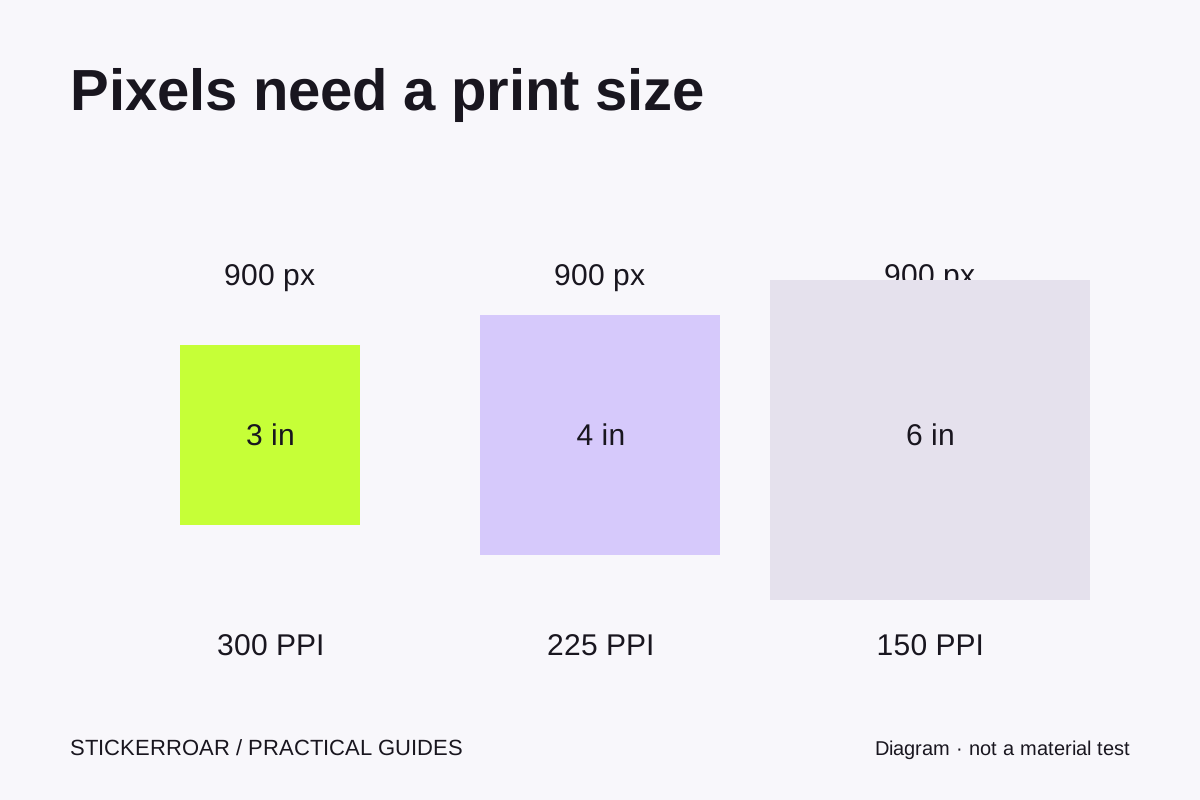
The warning is about detail at the selected size
Pixel dimensions alone do not describe print sharpness. A 900-pixel-wide image placed across three inches has 300 pixels per inch; the same image across six inches has 150. Enlarging the finished sticker spreads the available image detail across a larger physical area.
Use the pixels in the actual artwork being placed, not the dimensions of a screenshot or the size of a downloaded display preview. StickerRoar's catalog display images now use clear, unwatermarked derivatives. A browser preview still does not determine the production artwork's effective resolution: use the source pixel dimensions and the intended print size.
A worked example
Suppose a square source contains 900 × 900 pixels. Ignoring borders for the moment:
- At 3 × 3 inches, 900 divided by 3 gives 300 PPI.
- At 4 × 4 inches, 900 divided by 4 gives 225 PPI.
- At 6 × 6 inches, 900 divided by 6 gives 150 PPI.
Those are arithmetic examples, not a guarantee that every image at 300 PPI will look good. A blurred original, compression damage or tiny unreadable text can still be poor at a numerically high resolution. Increasing the pixel count with an export setting also does not recreate missing original detail.
Why the editor's number can differ
The editor fits the image proportionally within the finished frame and its border. With a non-square image in a square frame, the image does not occupy the full frame in both directions. Automatic contouring may also use a cropped derivative rather than the original canvas. A simple “file width divided by finished width” calculation can therefore differ from the effective number for the placed image.
Our editor flags an effective value below 300 PPI and asks you to acknowledge that details may print softer before adding the design. That is a review threshold in this store, not a universal manufacturing promise. Recheck it after changing size, border, crop or artwork mode.
Choose a useful next step
If you have a higher-quality original, upload that file. If the design was created as vector artwork, export a PNG at an appropriate size for the current uploader while retaining the vector master separately. If no better source exists, compare a smaller finished size and inspect any lettering or fine lines again.
If you deliberately accept a softer result, read the displayed warning and confirm that choice. Do not accept it simply to bypass the form. For a large or detailed graphic whose suitability is uncertain, request a review before relying on the online estimate. Our file preparation guide explains which current upload formats to use.
This guide explains the current StickerRoar workflow. The diagram is an instructional illustration, not a physical material test.
Keep a short record when comparing fixes
Change one input at a time. Note the uploaded filename, its pixel dimensions, the selected finished width and height, the contour mode and the warning shown. Then try a smaller size or a better source and compare the same details in the artwork. This avoids mistaking a different crop or border setting for an improvement in the source image.
For example, if a higher-resolution export clears the warning but a small address still looks cramped, the next task is typography or layout. Enlarging the file again will not give the address more physical space. If reducing the finished size clears the warning but makes the address harder to read, that is a tradeoff rather than a complete fix.
Keep the best source and the comparison notes with your request if you need help. Include what must remain legible, such as a short name or logo. The warning reports a file-and-size relationship; it cannot decide which detail matters most to your design.
For background on the relationship between pixels and print size, see Adobe's image size and resolution guide.
Continue the checks
Prepare the reviewed artwork through custom car stickers. Final specifications require confirmation before production.
