THE STICKERROAR GUIDE
Choosing Sunflower Stickers: Flowers, Bees and Size
Compare the flower centers, small bees and outer leaves in our sunflower design, then check its layout and size before choosing your car sticker.
Updated
Start with the whole sunflower design
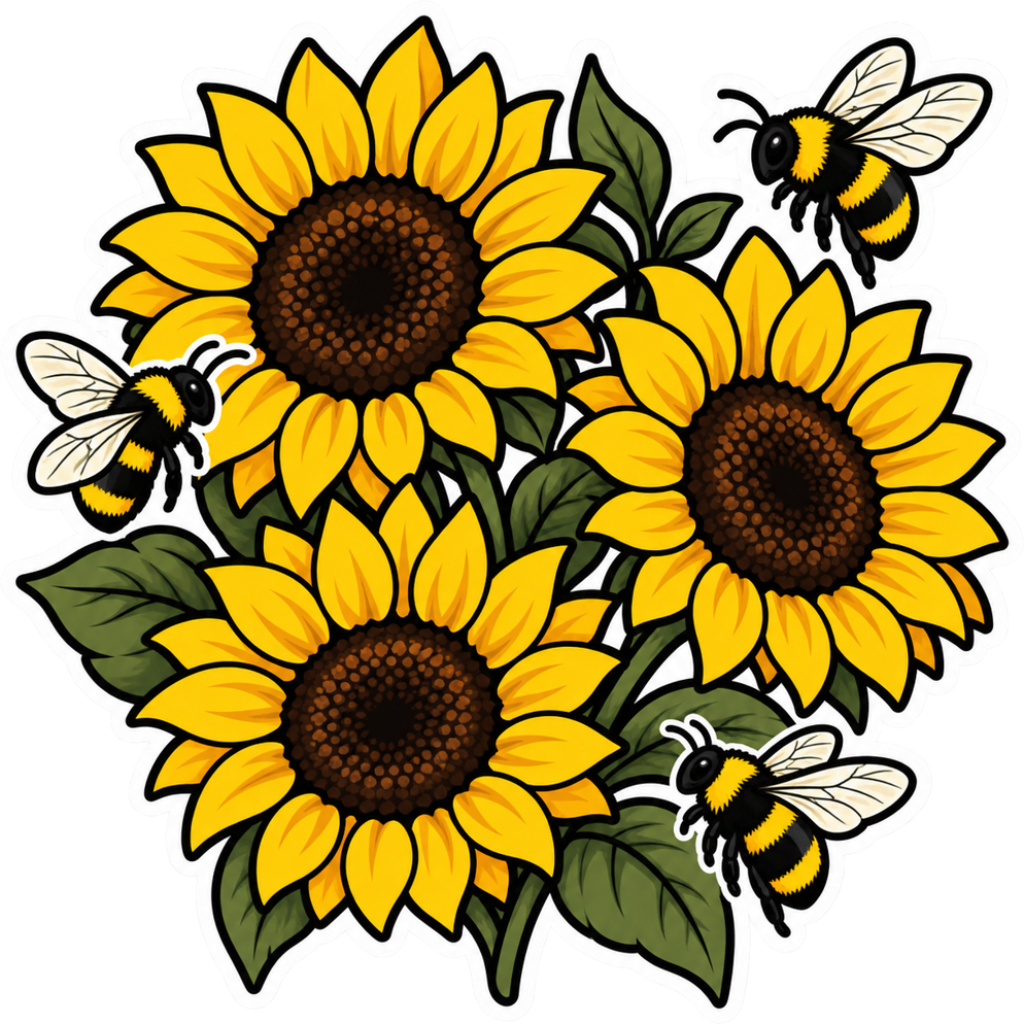
Choose a sunflower sticker by checking both its overall shape and the small details you want to notice. In our Three Sunflowers with Bees design, three dark flower centers anchor a cluster of yellow petals and green leaves. Small striped bees add detail around the flowers. The cover shows this catalog artwork; it is not a life-size placement guide.
If you mainly want a bold yellow flower shape, judge the complete cluster first. If the bees and fine petal marks are the reason you like it, inspect those details at your proposed size before deciding.
Three details to compare in this artwork
Flower centers and overlapping petals
The three dark centers remain distinct within the yellow cluster. Follow the petals around each center and notice where flowers overlap. When comparing a smaller preview, ask whether you can still distinguish the three blooms rather than seeing one busy yellow shape. This is a visual check, not a guarantee that a particular size will reproduce every detail.
Bees and fine lines
The bees are much smaller than the flowers. Their wings, antennae and body stripes are useful details to inspect when judging scale. The flower centers also contain fine marks. If those details matter to you but are hard to see in a small preview, compare a larger option or a simpler floral design.
Leaves and the complete outer edge
Green leaves extend between and beyond the flowers. Measure for the complete cluster, including the outer bees and leaf tips, rather than measuring just the largest flower. Review the final outline and border in the product preview; the visible drawing alone does not define every production detail.
Check the size against your intended space
- Measure the usable width and height of the placement area. Leave room around the design instead of measuring right up to a panel edge.
- Open the product page and compare a smaller and a larger size with the slider. For example, 3 in and 5 in are useful comparison settings, not recommended minimum sizes for this artwork.
- Use the car, window, cup or laptop scene to compare placement, then check the space on the actual object. A scene preview cannot replace a measurement of your own car or laptop.
- Make a paper template for the proposed outer dimensions. Stand back and decide whether you want a compact flower accent or a more noticeable cluster.
- Review the image-resolution notice and confirm the finished outline dimensions before production. The current square size selection is not a guarantee that an irregular design has equal printed width and height.
Our step-by-step car sticker measurement guide explains width, height and paper templates in more detail.
Choose this cluster or compare another floral layout
Choose the three-sunflower design when you want the pictured combination of blooms, leaves and bees. Selecting a size scales the artwork; it does not remove a bee, rearrange the flowers or change the printed colors.
If you prefer one focal flower or a less detailed arrangement, browse flower car stickers and compare the complete outlines. These are alternative floral layouts, not different versions of this sunflower design. If you have your own arrangement ready, upload your artwork for a custom sticker.
Choose the physical material separately from the illustration. White PVC and Clear can affect how an artwork reads against its surroundings; a digital preview is illustrative. You can submit an order request without online payment, with final artwork, delivery and production details confirmed before production.
