THE STICKERROAR GUIDE
White Ink Questions for Clear Sticker Artwork
Write clear white-ink instructions for transparent sticker artwork. Identify visible white, opaque color and clear regions without mistaking a preview for approval.
Updated
Describe the result before describing the file
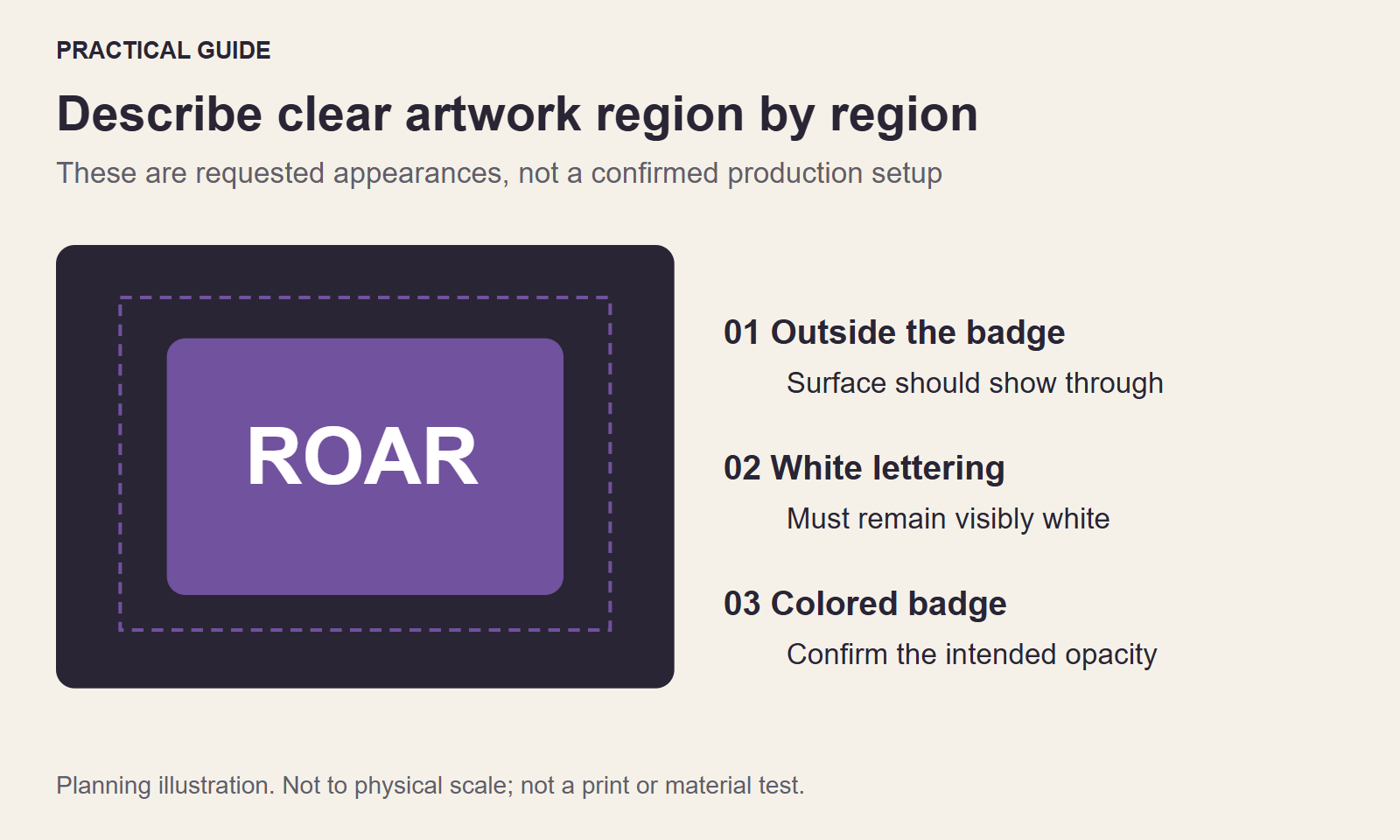
For Clear stickers, “make the background transparent” can mean several different things. You might want to remove only the rectangle outside a logo, keep white letters fully visible, and preserve opaque pale colors inside the logo. Or you may want a translucent graphic with the surface showing through most of it. These are different requests even when the same source file is used.
Write down which regions should be transparent, which should remain white and which colored areas should have an opaque base. A useful instruction identifies visible elements, not just a file extension or the word “clear.”
Use a three-part checklist
- Outside the graphic: should the surrounding film look transparent, or should there be a printed border?
- White elements inside the graphic: should letters, highlights and other white details remain visible as white?
- Colored elements: should the surface show through, or is consistent opaque color more important?
For example: “The space outside the badge should be clear. The white word ROAR must remain opaque. Keep the blue shape opaque on a black panel.” This does not create a production-ready white-ink mask, but it gives the reviewer a much clearer target than “remove the white.”
Check both light and dark backgrounds
Place the artwork over a light and a dark background in your image editor if possible. A white element may disappear visually on the light background even though it is still present in the file. Conversely, a transparent hole may look white when the editor uses a white canvas underneath it. Switching backgrounds helps you distinguish those cases.
On our product pages, the Clear preview allows pale regions to reveal the scene. This is an illustrative assumption and may not match a request that needs opaque white letters. If that happens, mention the discrepancy instead of treating the preview as a final printing instruction.
Questions to include with the request
Ask whether the intended white coverage can be produced from your file, whether a separate mask or revised artwork is needed, and how the transparent border should be handled. Provide the intended surface color and the finished dimensions. Small type or pale fine detail should be reviewed at the actual size, rather than only in a large onscreen preview.
Keep the original artwork. Do not destructively erase white details to imitate a transparent result if you are not sure which details belong to the design. Our PNG transparency check helps separate file transparency from white pixels.
Use Contact for a white-ink question, or include the instruction in a product quote request. Production feasibility and the final artwork treatment need confirmation before any payment or printing.
This guide explains the current StickerRoar workflow. The diagram is an instructional illustration, not a physical material test.
Keep the explanation out of the print image
Prepare a separate annotated reference if the artwork contains several similar pale regions. Label the parts by location, such as top lettering, inner highlight and outside border. In your note, state the intended appearance of each region. Do not paint arrows or labels into the image intended for printing unless they are part of the actual design.
For a first discussion, a plain-language description can be more useful than an unverified technical mask. Ask whether a separate production file is required before building one to assumptions about equipment or layer naming. Preserve the original colors and transparency while that question is resolved.
When a reply arrives, compare it with all three parts of the request: transparent surroundings, visible white details and the opacity of colored regions. A response confirming clear material alone does not answer the other two questions. Keep the confirmed treatment with the exact artwork version and finished dimensions so a later correction or reorder does not silently reuse an outdated instruction.
For the specific issue of contrast on a dark object, read Reviewing Clear Stickers on Dark Backgrounds.
Continue the checks
Prepare the reviewed artwork through custom car stickers. Final specifications require confirmation before production.
